Shopify Integration
We support working with any Shopify store through the Shopify Storefront API with read-only access. This is completely secure for your store and enables you to create shareable cart links in just a few clicks with products from your store and active promo codes.
How to Connect Your Store
To connect your store, you need to install the standard Shopify Headless app and copy the API token to Linkiri settings. Follow these simple steps:
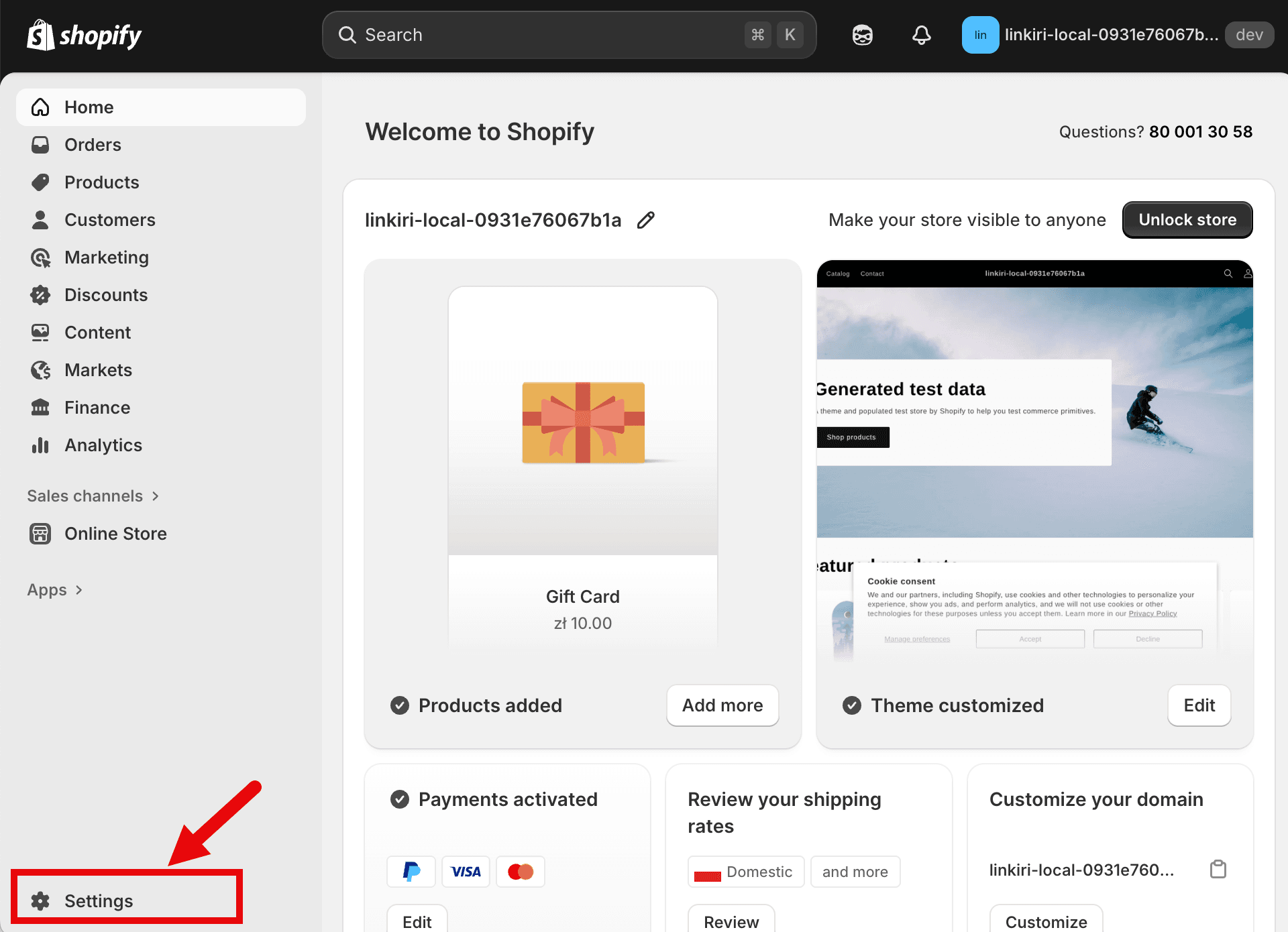
Open Shopify Settings
Log into your Shopify admin panel and click on Settings in the bottom left corner.
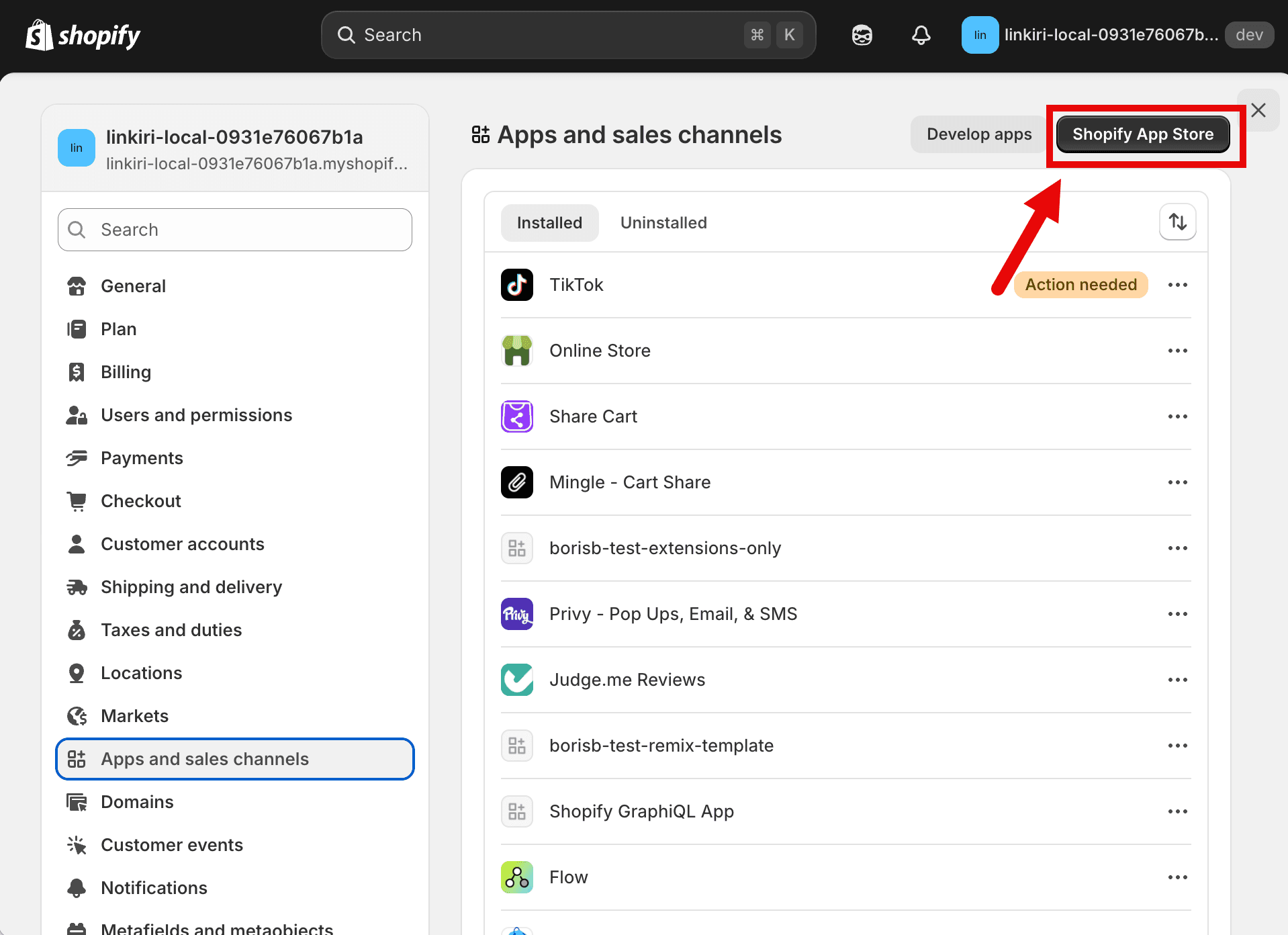
Navigate to App Store
Go to Apps and sales channels section and click on Shopify App Store button.
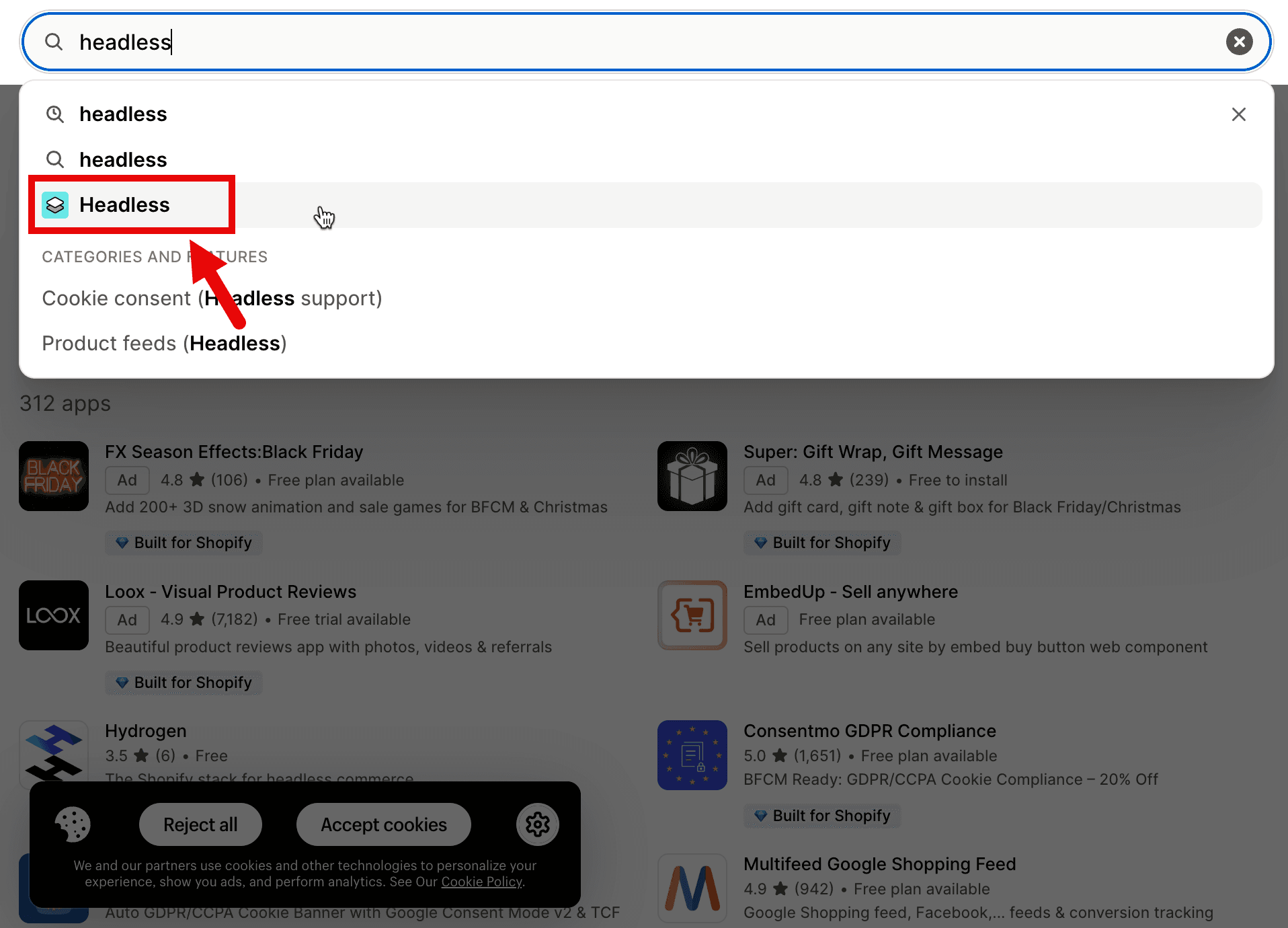
Search for Headless App
In the App Store search bar, type "headless" and select the official Headless app by Shopify.
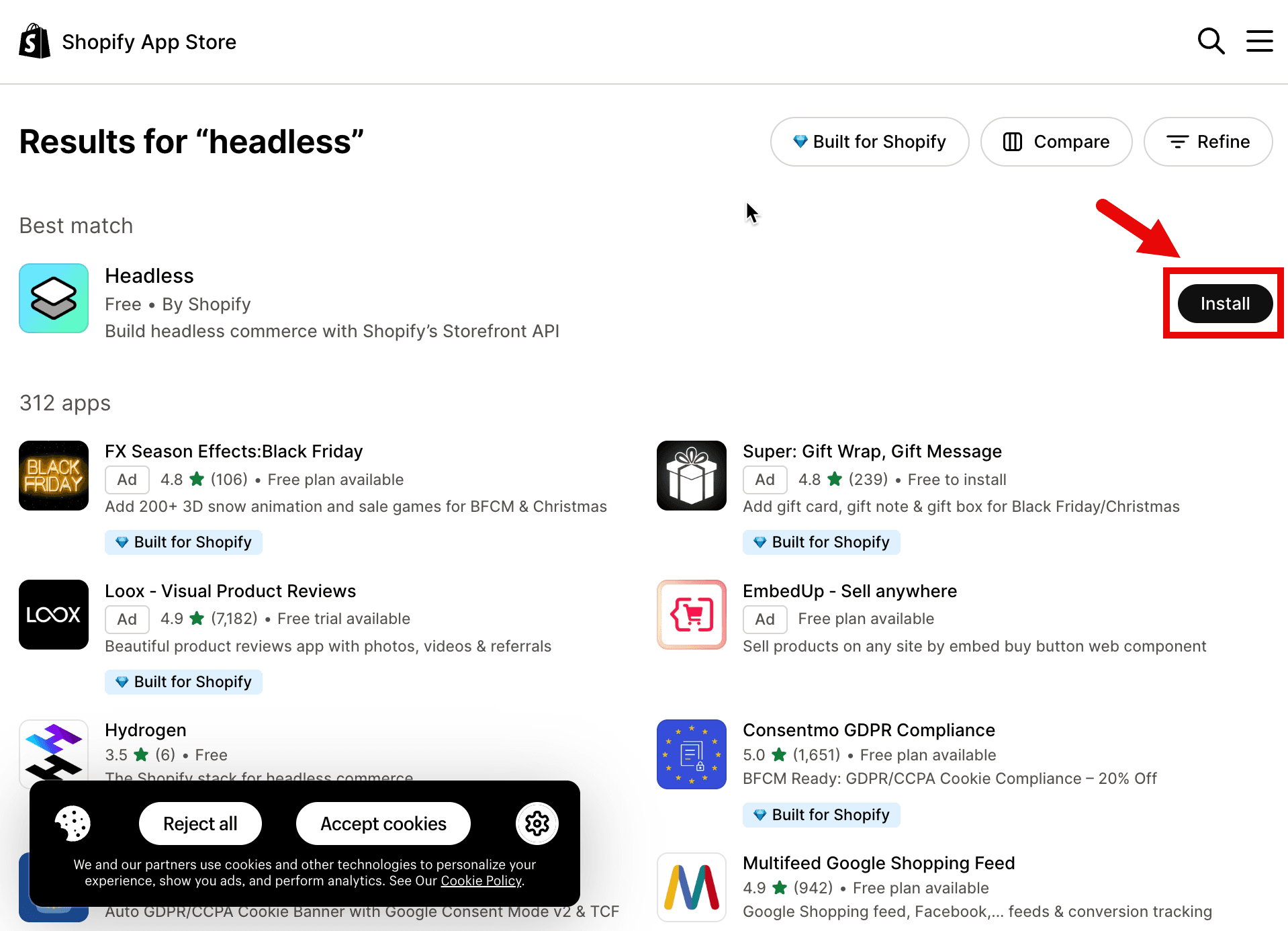
Install the Headless App
Click the Install button to add the Headless app to your store.
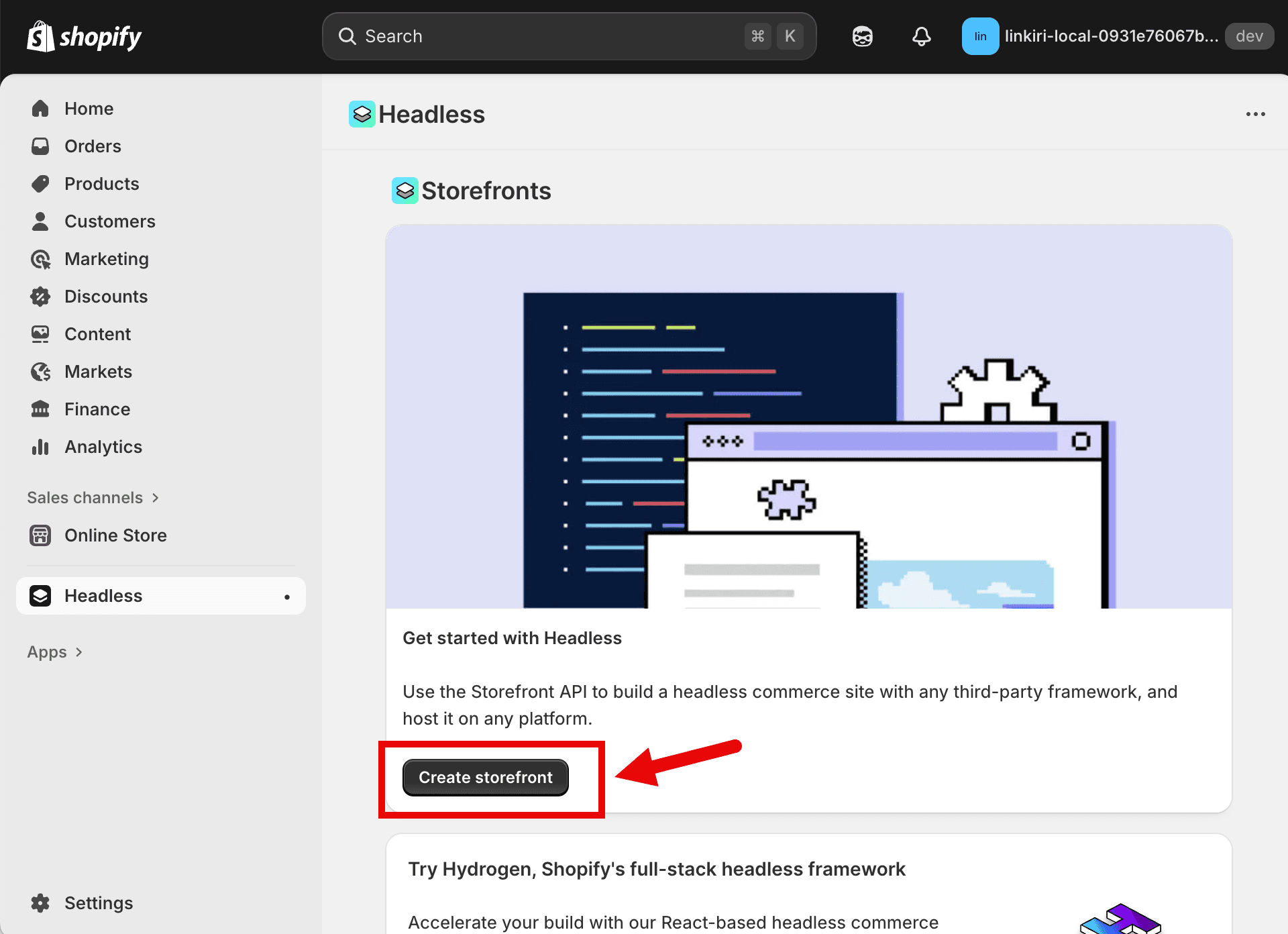
Create a Storefront
After installation, click "Create storefront" to set up your API access.
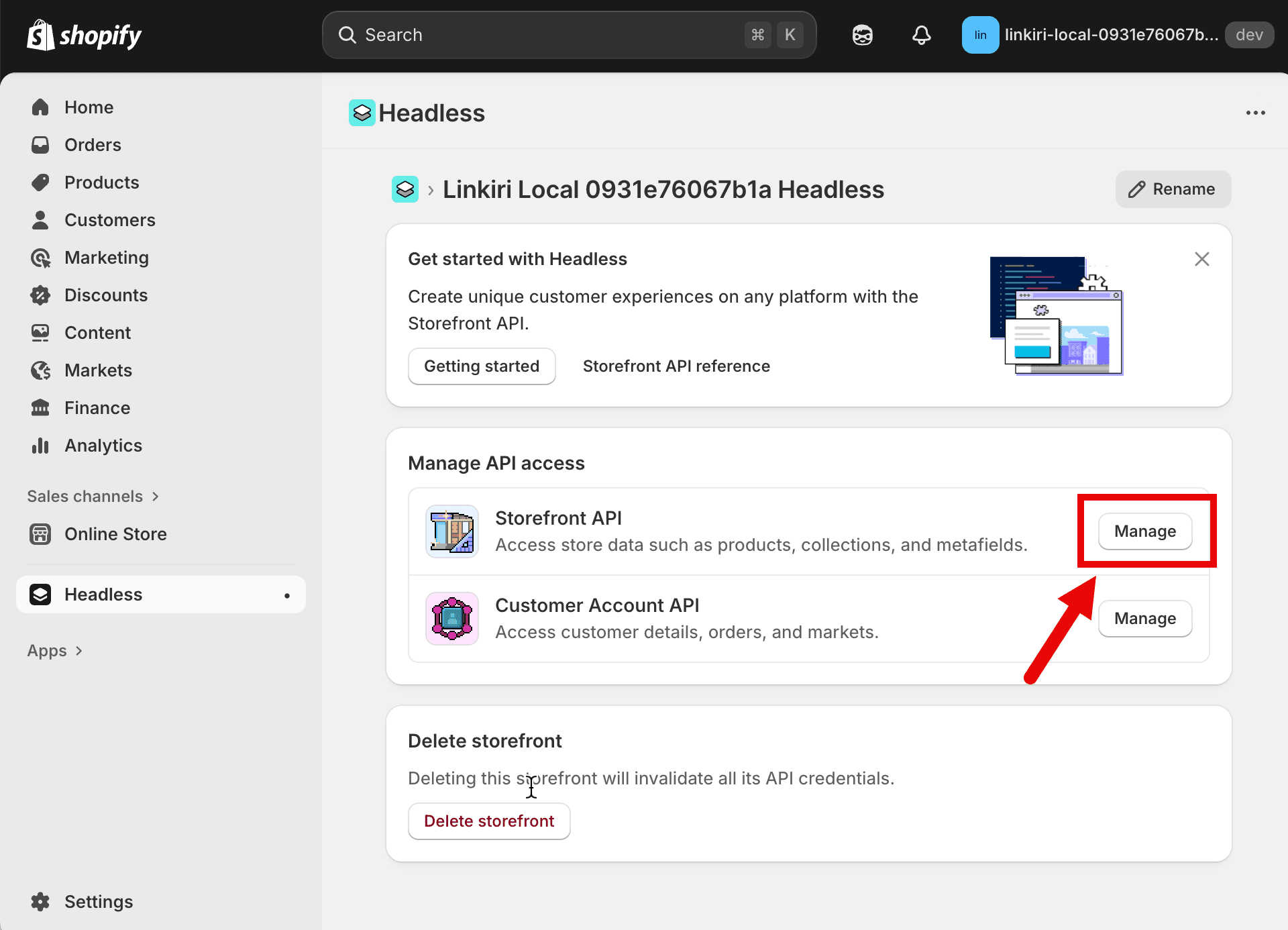
Open Storefront API
Click the "Manage" button next to Storefront API to access your credentials.
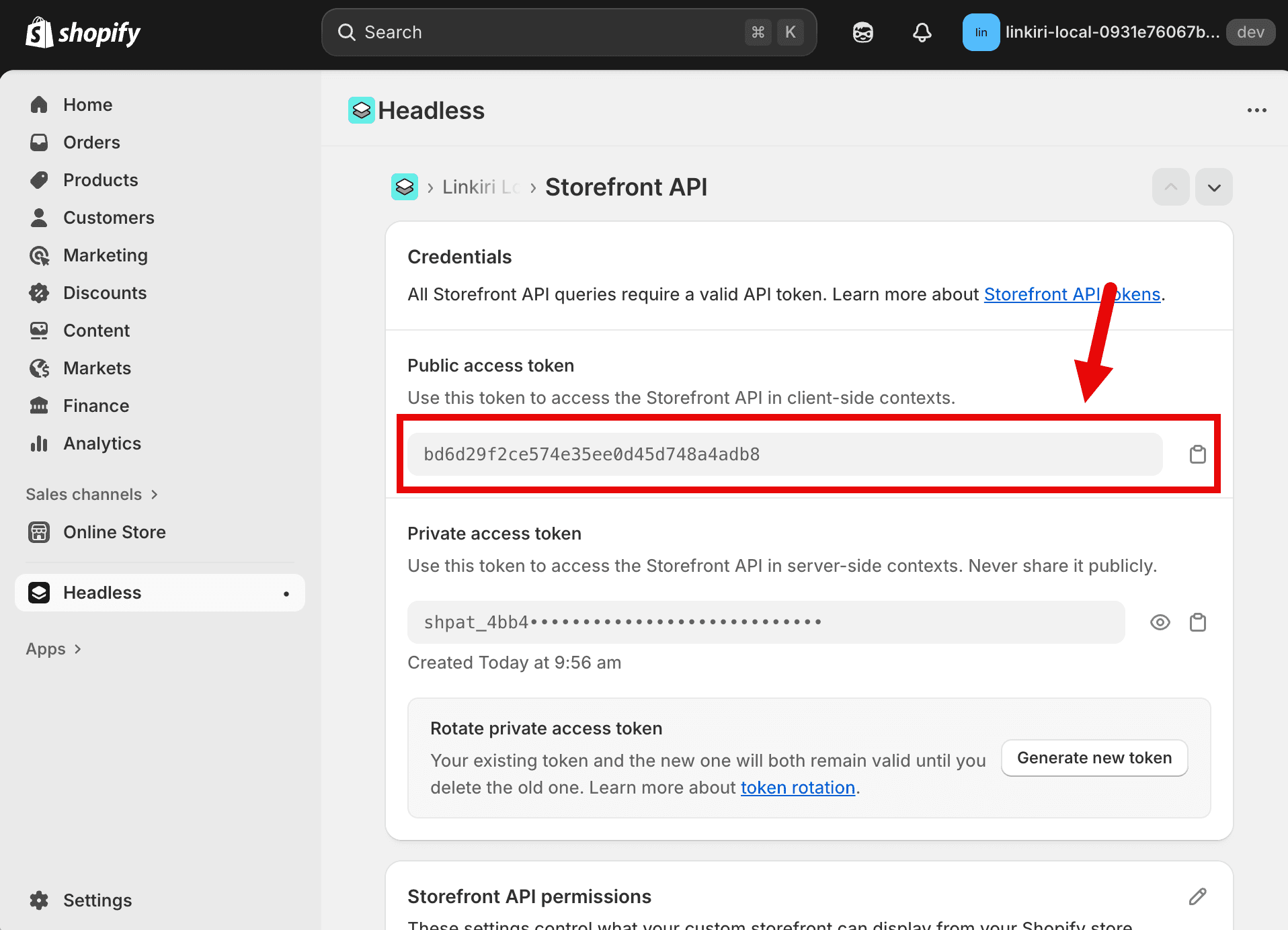
Copy Public Access Token
Copy the Public access token from the Storefront API credentials page.
Enter Linkiri Settings
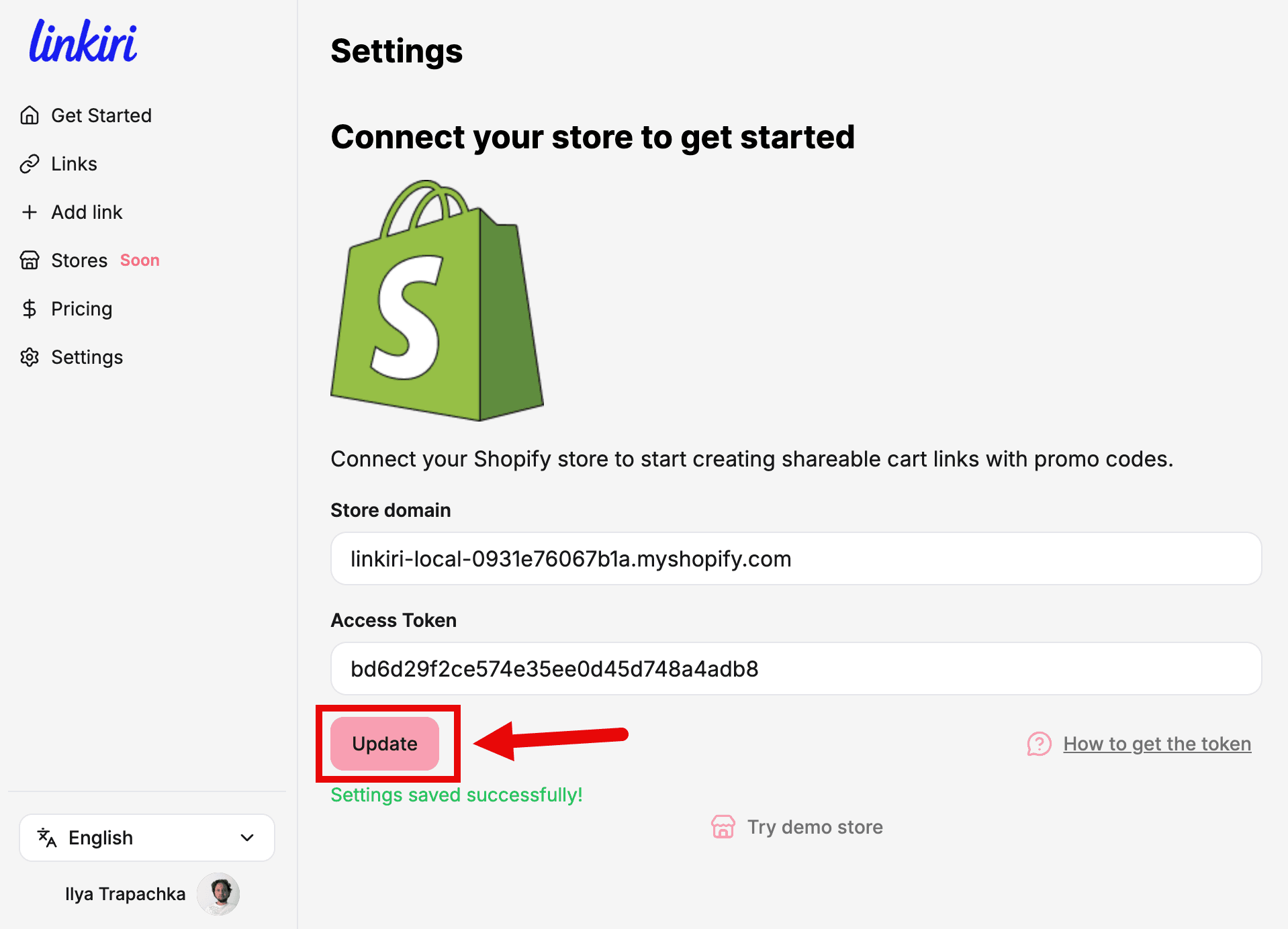
Go to Linkiri app, enter your store domain and paste the access token into the settings fields.
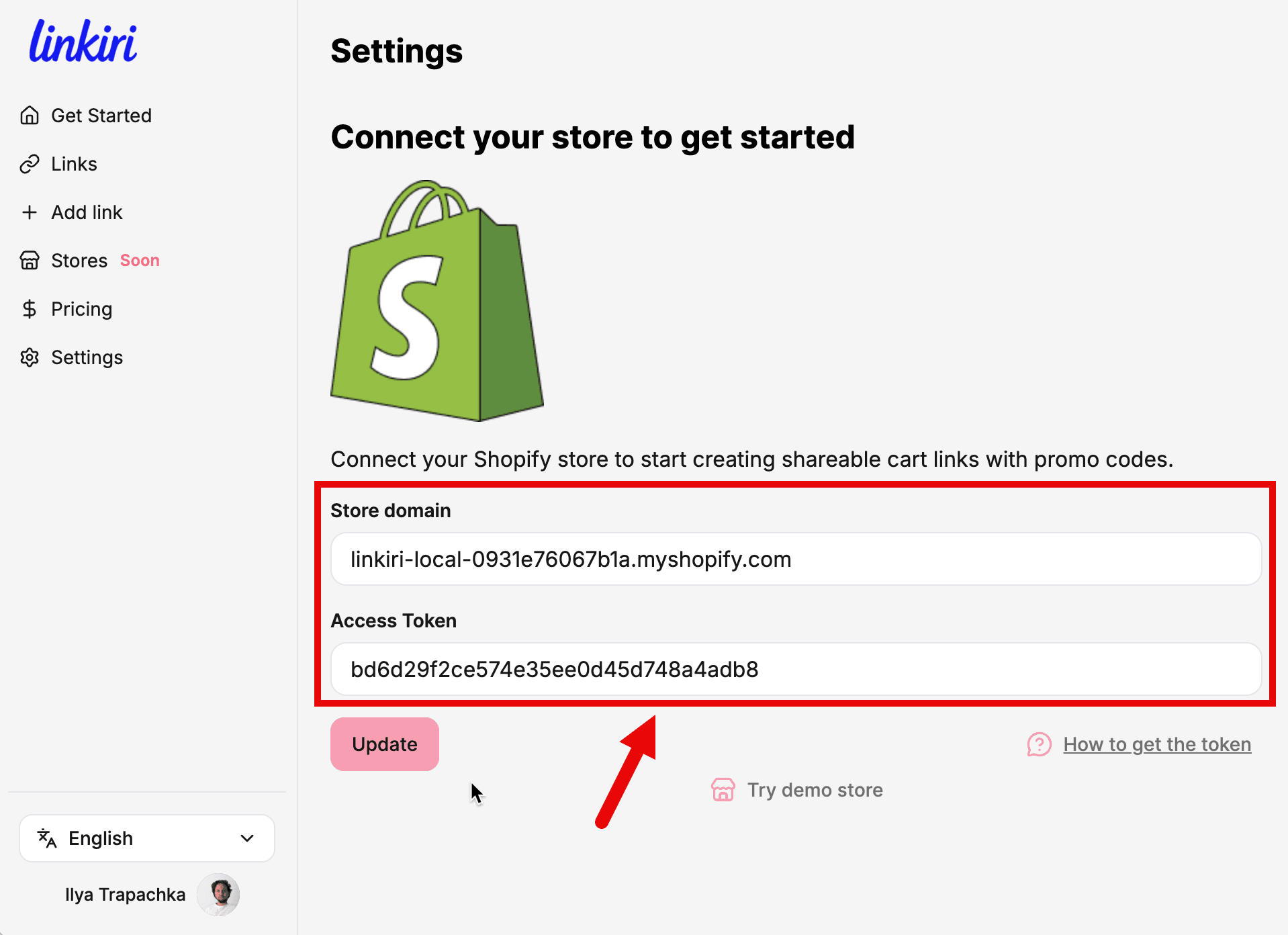
Save Your Settings
Click the Update button to save your store connection. You'll see a success message.
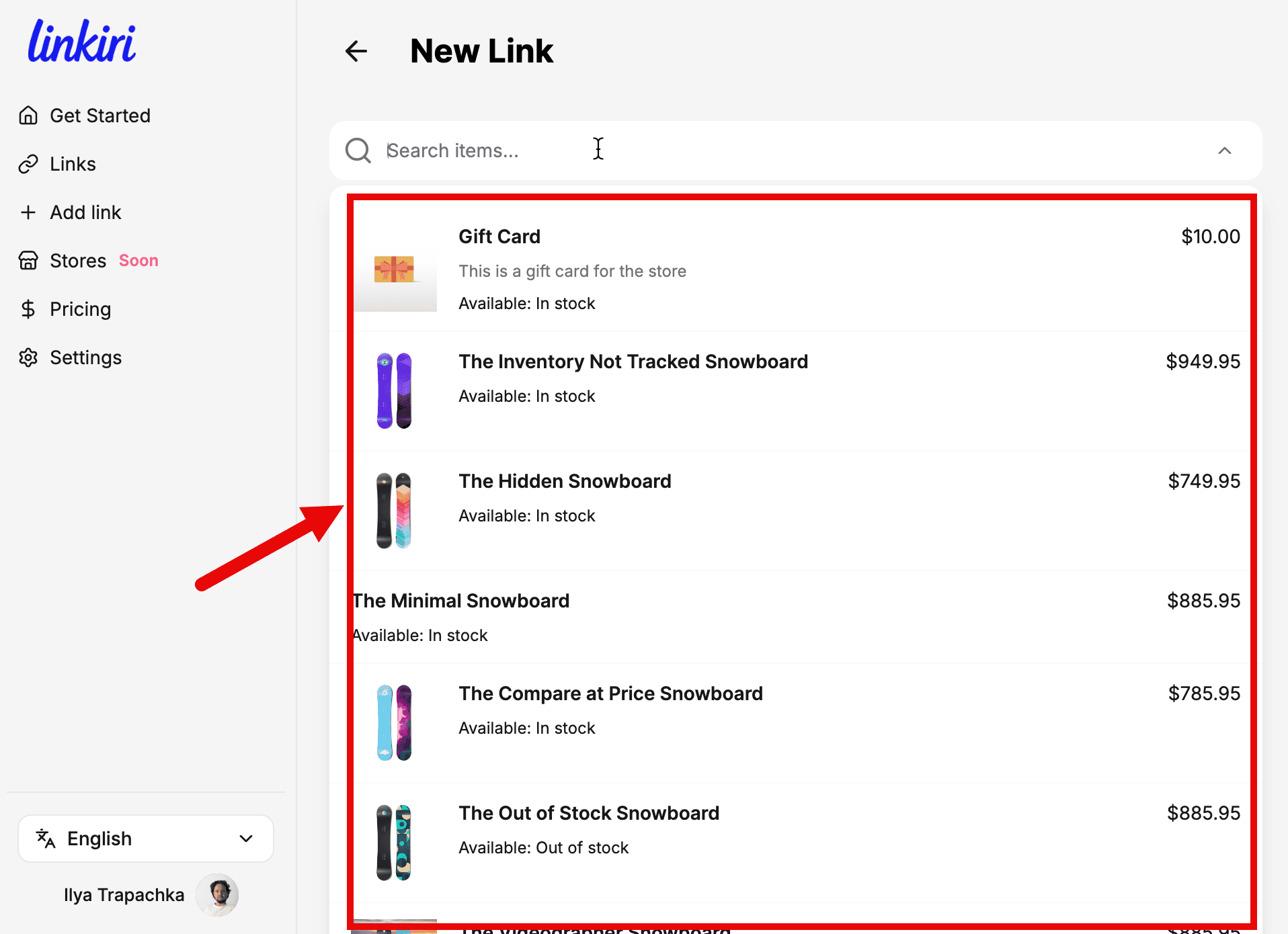
Start Creating Links
You're all set! Now you can create shareable cart links with your products and promo codes.
Still Have Questions?
If you need help with the integration or have any questions, feel free to reach out to us.